MyPanic Meet: Feel Safer When Meeting Someone New
In our first blog we had a look at the new Ride feature on the MyPanic app. In our second part, we take a closer look at MyPanic Meet, designed for everyday meetings.
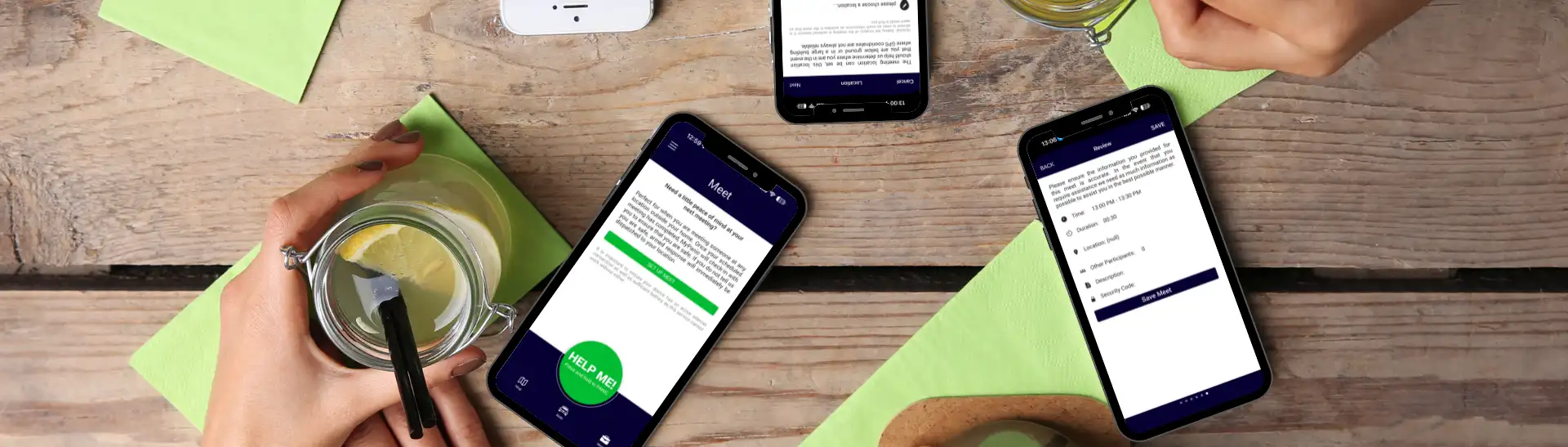
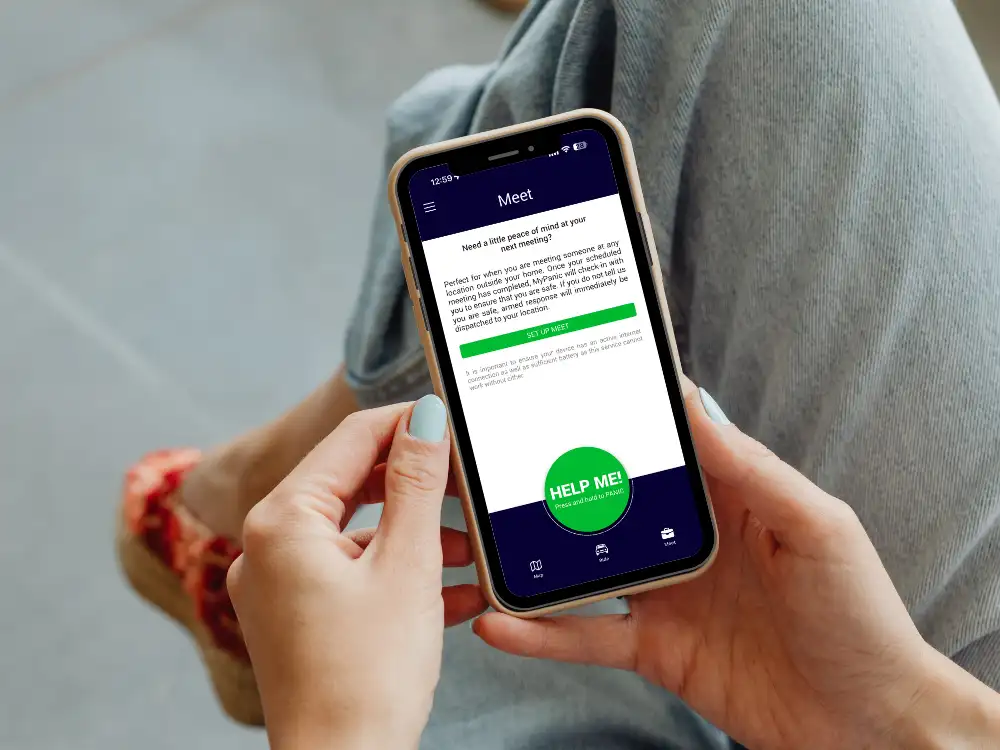
MyPanic Meet is designed for situations where you are going to meet someone and want to make sure someone knows where you are and when to expect you back. You log your meeting, add an estimated duration, and if you do not check in when that time is up, MyPanic automatically starts your safety escalation.
Meet is ideal for first dates, viewing a property, meeting an online seller, or opening the door for a delivery. The feature only triggers if you fail to confirm you are safe, so you stay protected without continuous tracking or unnecessary sharing of your location.
Everyday Ways To Use Meet
MyPanic Meet can be used on a daily basis for first dates, new business meetings, deliveries and collections.

First dates, coffee meet‑ups or networking with someone new
Before you leave, you log a Meet in the app, add where you are going and how long you expect to be there – say two hours for dinner. The Meet timer runs quietly in the background while you enjoy your evening; nothing is shared with your contacts or the control room unless you fail to check in.
If the time is up and you have not ended the Meet or responded to a prompt, MyPanic automatically starts your safety escalation, which includes reaching out to you and sending help if necessary. This exists specifically for those situations where you don’t expect trouble, but you also don’t want to be completely unaccounted for when meeting someone you don’t know well.
Online marketplace collections or private sales
When you are going to a stranger’s home or a public meeting point to collect or sell an item, you start a Meet and set a realistic timeframe (for example, 30 minutes). If everything goes to plan, you end the Meet when you are back in your car or safely at home and nothing further happens.
If things feel wrong and you cannot easily open the app or make a call – or if the meeting overruns and you do not respond – the system recognises that you have not checked in, and your escalation process begins automatically.
The purpose here is to turn risky, one‑off interactions into monitored events so that, if something does go wrong, help is not delayed while people try to figure out where you went and when.

Home services, contractors and late‑night deliveries
Whenever a service provider, contractor or delivery person is coming to your home, you can log the visit as a Meet. You record the expected duration – perhaps 45 minutes for a repair – and then carry on as normal.
If the visit overruns significantly and you do not check in, MyPanic assumes you may not be comfortable or able to end the Meet yourself and begins your safety escalation.
This feature adds a discreet safety structure around everyday visits where power dynamics or timing can suddenly shift.
Why MyPanic Ride & Meet Are Game‑Changing Safety Features
Unlike traditional panic buttons that only react *after* you raise the alarm, Ride and Meet are proactive safety triggers that anticipate risk before it escalates. By turning routine drives and day‑to‑day meetings into monitored safety events, MyPanic helps reduce response times and ensures someone can act on your behalf even if you cannot reach your phone.
The combination of proactive Ride and Meet features with MyPanic’s nationwide 24/7 armed response and medical assistance network makes it a powerful everyday personal safety app for South Africans. Whether you are a student, commuter, parent, professional or business owner, MyPanic Ride & Meet give you an extra layer of confidence to move, meet and live with greater peace of mind.